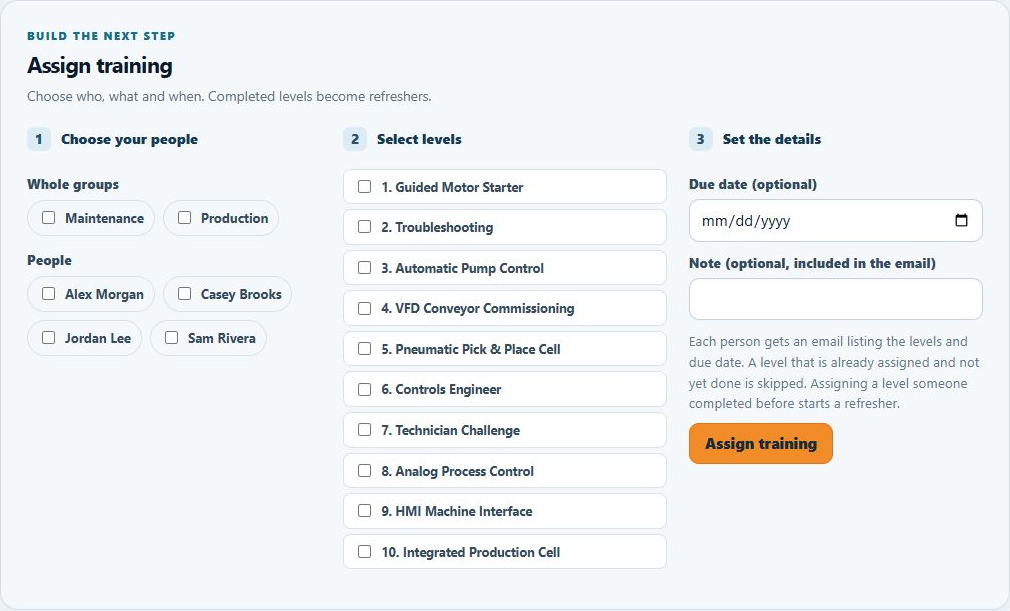
Set the next milestone
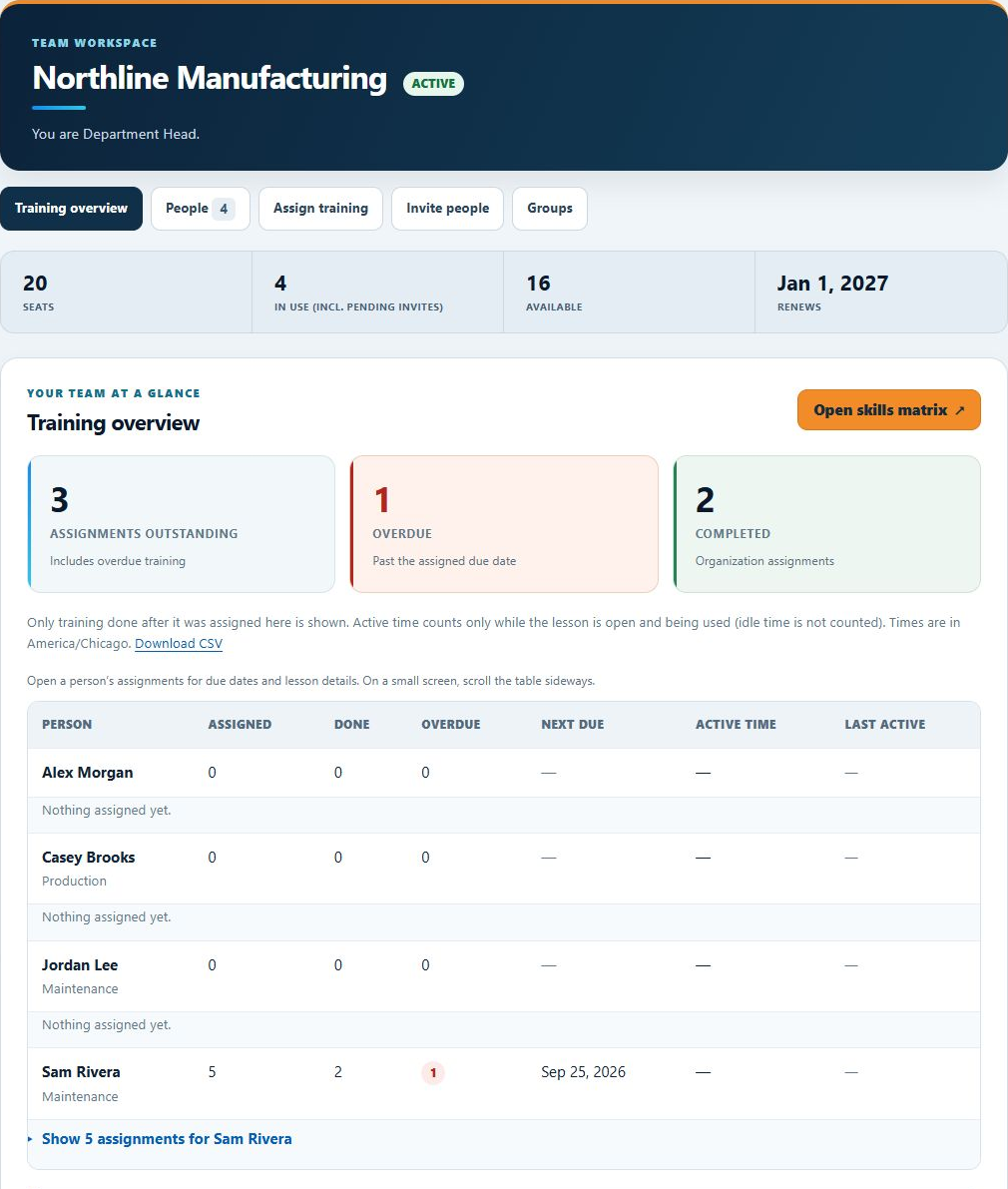
Assign levels to individuals or groups, choose due dates and assign refreshers. Automated reminders help people keep track of what's next.
PLANS & FEATURES
Hands-on industrial controls training for your maintenance team and the whole operation.
Practice wiring, PLC logic, troubleshooting and commissioning. Give your team a clear training path and see how they're progressing.
Browser-based practice · 10 progressive levels · Completion certificates
INCLUDED WITH COMPANY PLANS
Assign levels to individuals or groups, choose due dates and assign refreshers. Automated reminders help people keep track of what's next.
Review assignments, completions, reported lesson stages and active training time. Export a CSV for your records.
Private training messages connect learners with their Department Heads and the supervisors responsible for their groups.
PROGRESS WORTH RECOGNIZING
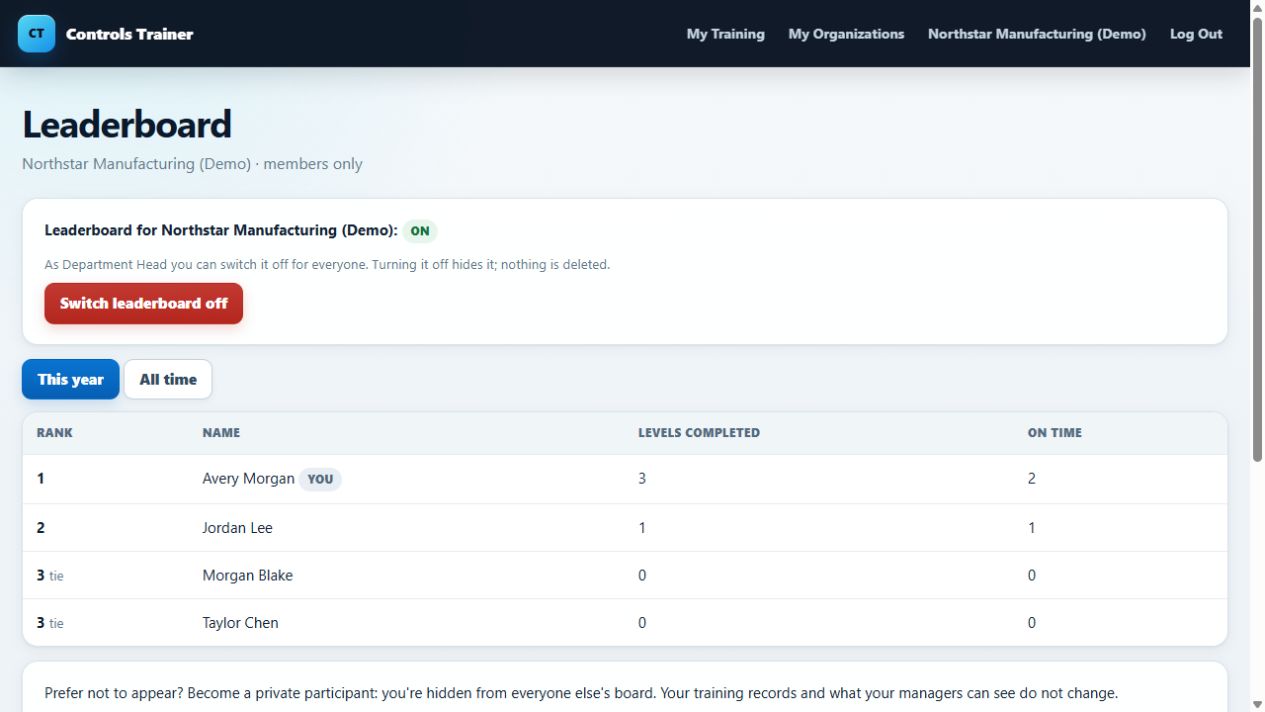
The organization leaderboard recognizes assigned levels completed and on-time completion. Speed does not determine rank.
Department Heads can turn it off, and learners can hide themselves from the board without changing their training records.
Compare what's included →FROM SETUP TO THE NEXT LESSON
The Department Head dashboard brings seats, people and training together. A guided tour walks new managers through setup; the assignment form organizes the next round of learning.
SEE THE WHOLE TRAINING PICTURE
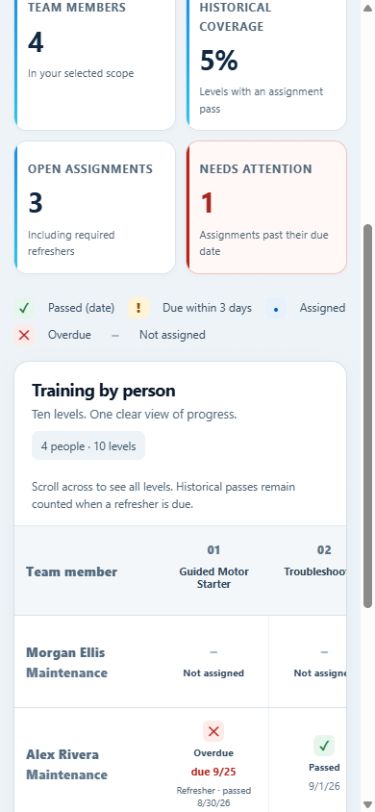
The skills matrix brings assigned training together in one view. Department Heads see their organization; Supervisors see the people in their managed groups.

AT A GLANCE
| Feature | Team & Business | Enterprise |
|---|---|---|
| All 10 training levels | Included | Included |
| Personal completion certificates | Included | Included |
| Assignments, due dates & refreshers | Included | Included |
| Department Heads & group supervisors | Included | Included |
| Team progress & active-time reports | Included | Included |
| Skills matrix & printable training report | Included | Included |
| CSV reporting exports | Included | Included |
| Private training messages | Included | Included |
| Organization leaderboard | Included | Included |
| Billing | Annual or monthly | Annual quote |
A FEW USEFUL DETAILS
Need a hand choosing? Visit Support or send us a request.
Yes. Levels 1 and 2 are free to try without an account. Sign in to save completion and receive a certificate. Company plans include access to all ten levels. Schools and companies can also request a free 30-day trial for up to 10 learners.
Yes. Department Heads and Supervisors use seats and can take the training themselves. Department Heads see the organization; Supervisors see the groups assigned to them.
It counts activity reported while a lesson is open and being used, excluding detected idle time. Stage and time reporting are training indicators, not a measure of real-world competence or employee productivity.
A certificate records completion of a ControlsTrainer lesson. Workplace authorization, equipment-specific instruction and practical assessment remain with the employer. Read our Standards & Compliance page.
The simulations run in a web browser. A desktop or laptop is recommended for detailed wiring and editor exercises.
CHOOSE YOUR STARTING POINT
Every company plan covers all ten levels, with tools to organize and follow your team's training.
FOR MAINTENANCE TEAMS
1–20 seats
$299/user/year
Or $29/user/month, billed monthly
Give everyone a training path, with visibility for your managers.
FOR LARGER OPERATIONS
21–249 seats
$249/user/year
Or $29/user/month, billed monthly
The same company training tools at a lower annual per-seat rate.
FOR YOUR ORGANIZATION
250+ seats
From $199/user/year
Annual agreement · quoted for your needs
Discuss a training rollout across a large workforce.
Prices in USD. Company prices are per seat; annual plans are billed annually. Every learner and manager uses a seat. Enterprise pricing and terms require a quote.
START WITH THE WORK