The free service call: Level 2
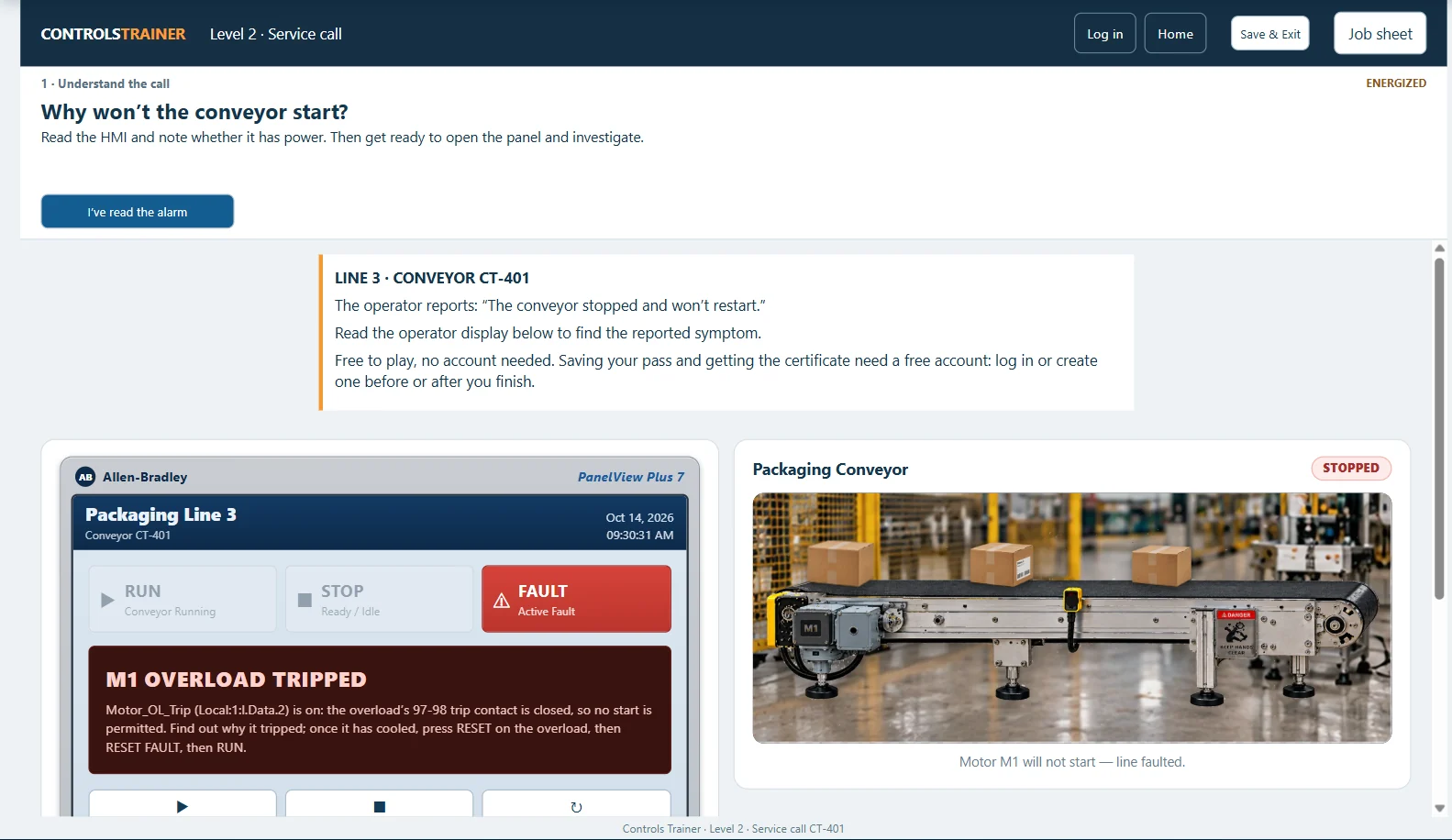
“The conveyor stopped and won’t restart.” Line 3’s packaging conveyor (CT-401) stopped about 20 minutes ago. Its panel runs on a ControlLogix 5590 controller with a PanelView Plus 7–style operator terminal. An on-screen coach takes you through seven phases:
- Understand the call. Read the operator’s report and the alarm on the terminal, then put on your PPE before you open the live panel.
- Inspect the symptom. See whether a simple reset clears it. A device that won’t reset is a symptom, not proof of a failed part.
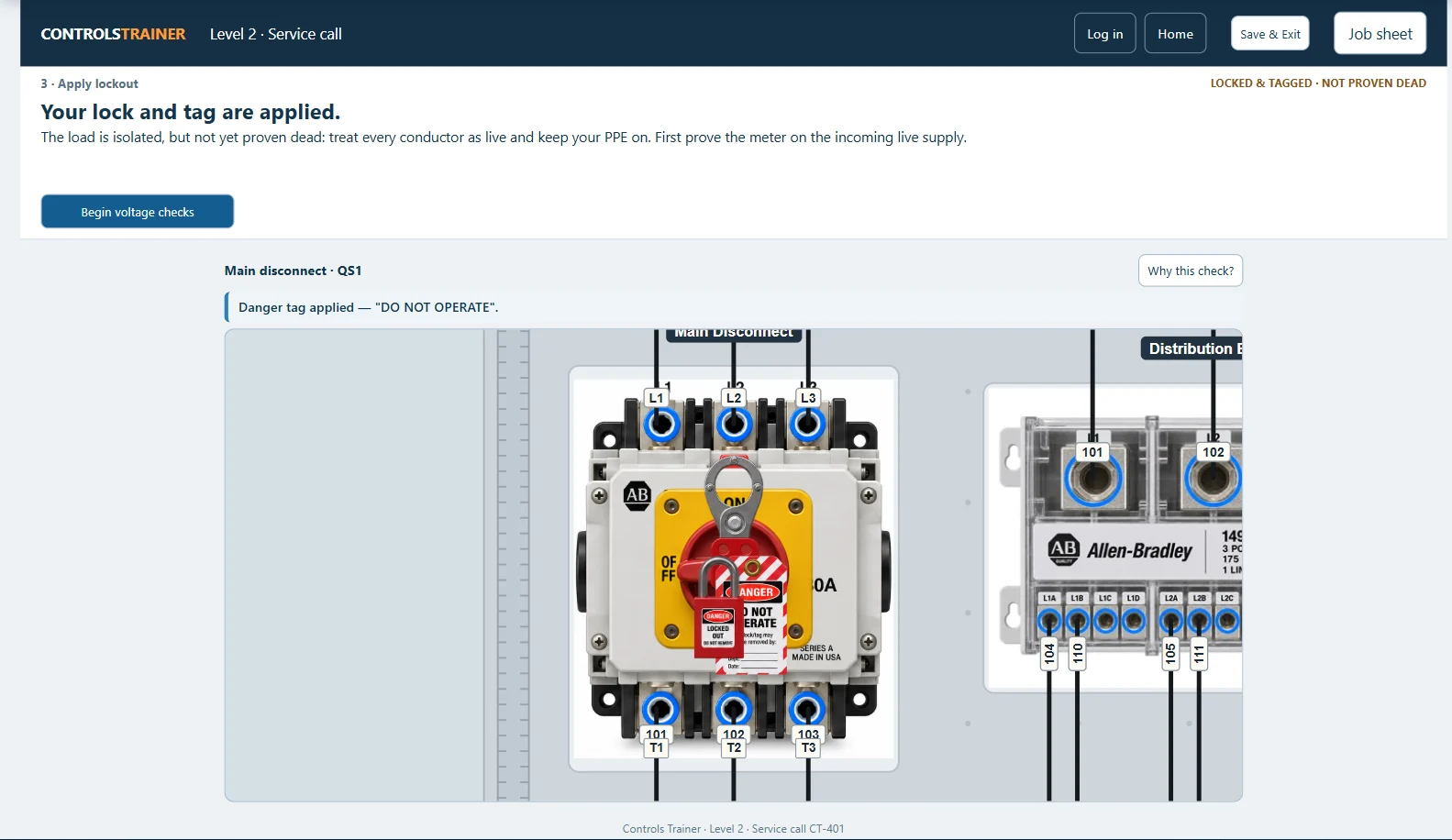
- Apply lockout. Open the disconnect, fit the hasp, and apply your personal lock and danger tag.
- Verify safely. Prove the meter on the live supply, test the isolated circuit dead, then prove the meter again.
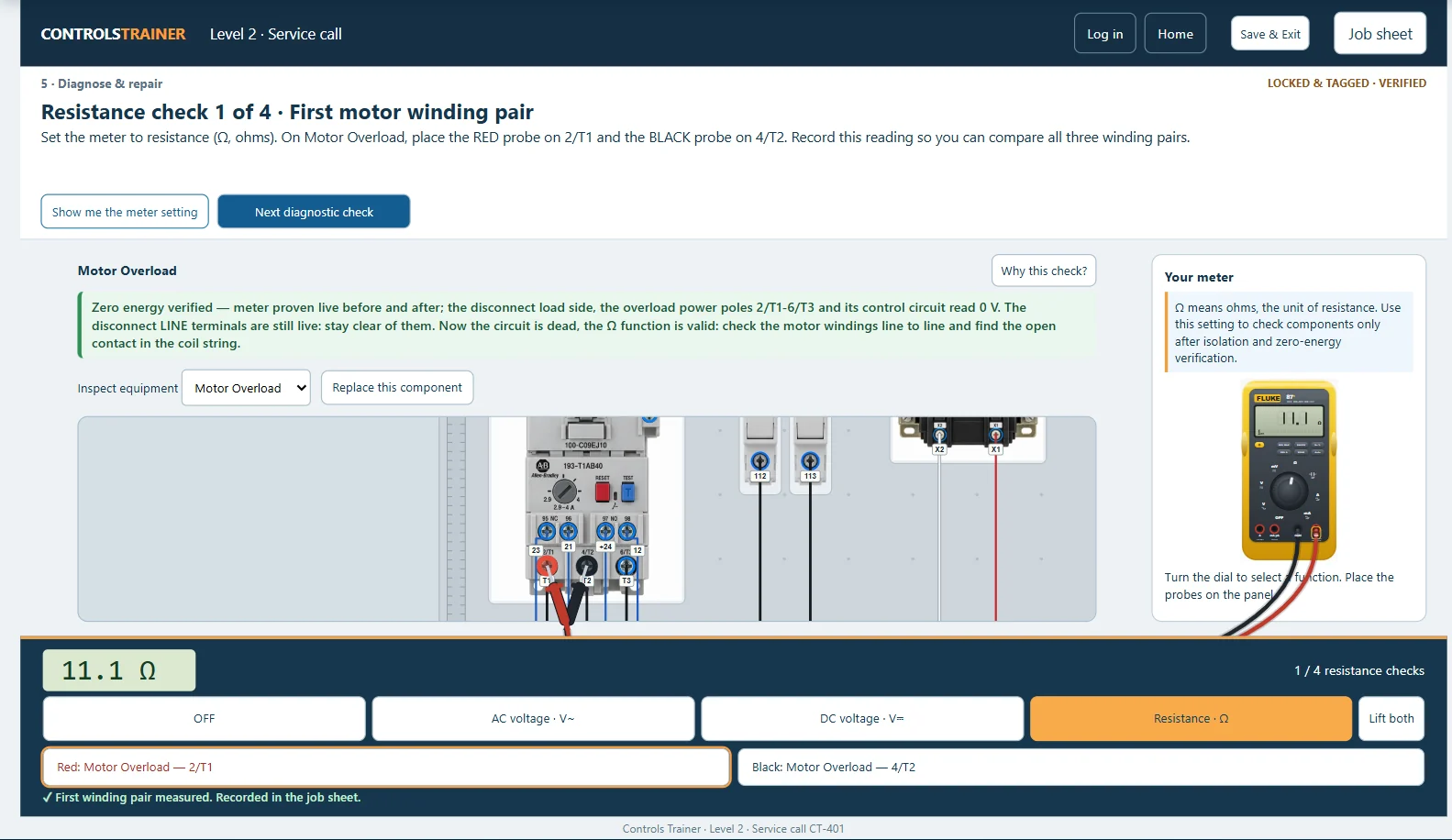
- Diagnose and repair. Take resistance readings on the de-energized circuit, choose the failed part from nine candidates, and replace it.
- Restore power. Lift the probes, remove your tag, lock and hasp, and re-energize.
- Prove operation. Run the conveyor and confirm the running feedback, with no fault left.
The method you practice
- Start with the report and the alarm. What did the operator see, and what does the terminal say?
- Check what the PLC sees. The controller’s inputs show whether Stop is closed, whether the overload reports a trip, and whether the contactor confirms it pulled in.
- Lock out and prove it dead before you touch anything: live-dead-live, every time.
- Measure, don’t guess. Look for voltage on the supply side of an open point and none on the far side, measured to the same reference; on a dead circuit, use resistance.
- Replace only what the readings point to, then restore in order and prove it runs.
The simulator holds you to it. Readings taken with the meter switched off, or before the power changed, don’t count, and the repair waits until the circuit has been proven dead.
Troubleshooting in the advanced levels
- Level 4: commission a drive with fault reset and Safe Torque Off checks.
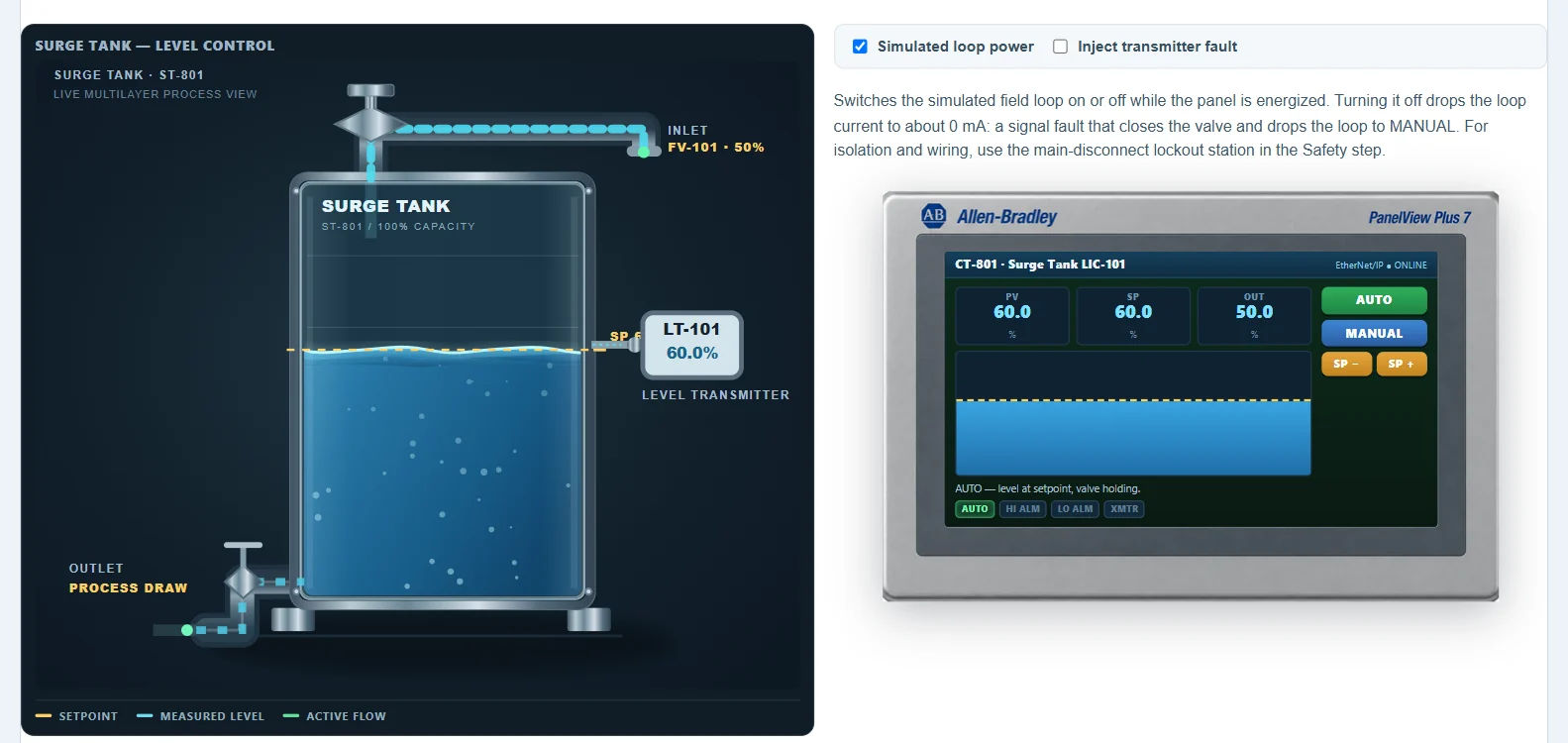
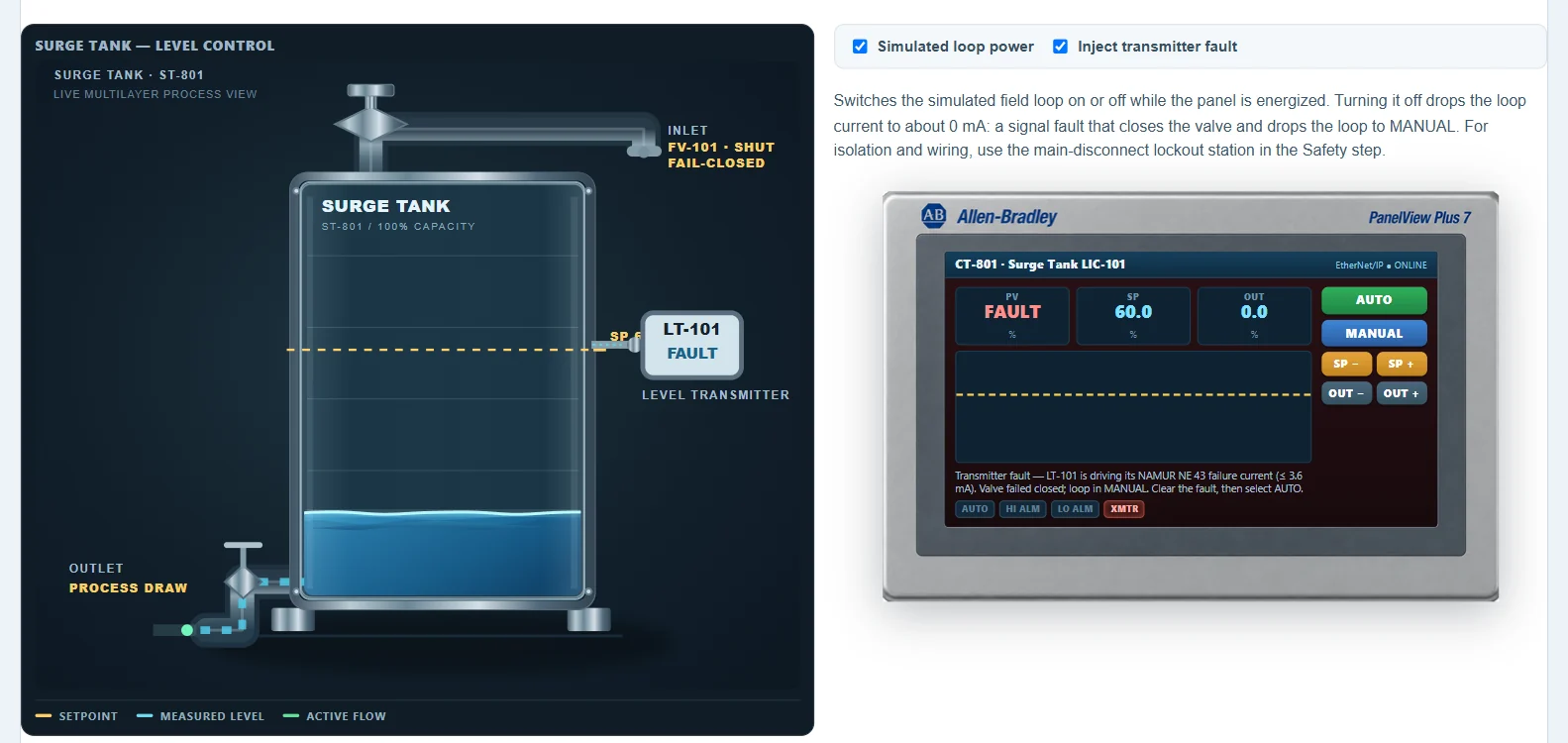
- Level 8: inject a transmitter signal fault, confirm that the operator display flags it, the valve closes and the loop drops to MANUAL, then clear it with the loop powered.
- Level 9: build alarm handling with first-out for a conveyor jam, a reject-cylinder timeout and a VFD fault. Acknowledging an alarm records that the operator saw it; it doesn’t clear the fault or restart the machine.
- Level 10: commission a production cell that “the plant left behind” with five reported faults. For example, a transmitter reading 3.6 mA is sending its failure signal: the transmitter is reporting a fault, not a pressure of 0 psi. You choose the corrective action each reading points to. (Hands-on meter work is practiced in Level 2; here you interpret the readings.)
What this training is not
- It isn’t hardware repair or component-level PLC repair, and there’s no real equipment or live energy. The meter is simulated.
- It doesn’t make anyone a “qualified person” under NFPA 70E or authorize work on equipment. Completion is training evidence only.
Frequently asked questions
Is the troubleshooting level really free?
Yes. Level 2 is free and needs no account. A free account saves your pass and issues your certificate of completion.
What meter do I use?
A simulated multimeter modeled on the Fluke 87V. It measures AC voltage, DC voltage and resistance, and you place the red and black probes yourself.
Do I need electrical experience first?
It helps. If motor control circuits are new to you, do Level 1 first: Level 2’s conveyor panel uses the same kind of starter circuit.
Is this PLC maintenance training?
It covers the controls side of maintenance troubleshooting: reading I/O, safe isolation and meter testing on a motor control circuit. It doesn’t cover PLC hardware repair or mechanical maintenance.
Answer the service call
Level 2 is free and needs no account. Also see ladder logic training and the PLC simulator tour.
Trademark note: Controls Trainer is an independent training platform. Allen-Bradley, ControlLogix, PowerFlex, PanelView, Guardmaster, RSLogix and Studio 5000 Logix Designer are trademarks of Rockwell Automation, Inc. Fluke is a trademark of Fluke Corporation, and Festo is a trademark of its owner. These names are used only to identify the equipment the lessons are modeled on. Controls Trainer is not affiliated with, sponsored by or endorsed by any of these companies.