Instructions with a purpose
Use contacts, coils, and branches to build permissives and seal-in logic. Advanced projects add timers, comparisons, move instructions, and routine calls where the job requires them.
Online PLC simulator · 10 machine-based lessons
Go from field wiring to PLC programs, operator screens, and VFD commissioning. Build and test industrial controls in your browser.
Levels 1 and 2 are free. No hardware or programming software to install.
See the depth
Step inside the real editors and machine lessons. See how the learning progresses from motor controls to subroutines, diagnostics, and HMI applications.
PLC programming
Work with instructions, controller tags, I/O assignments, and routines. Programming lessons make you translate a machine’s requirements into a working program.
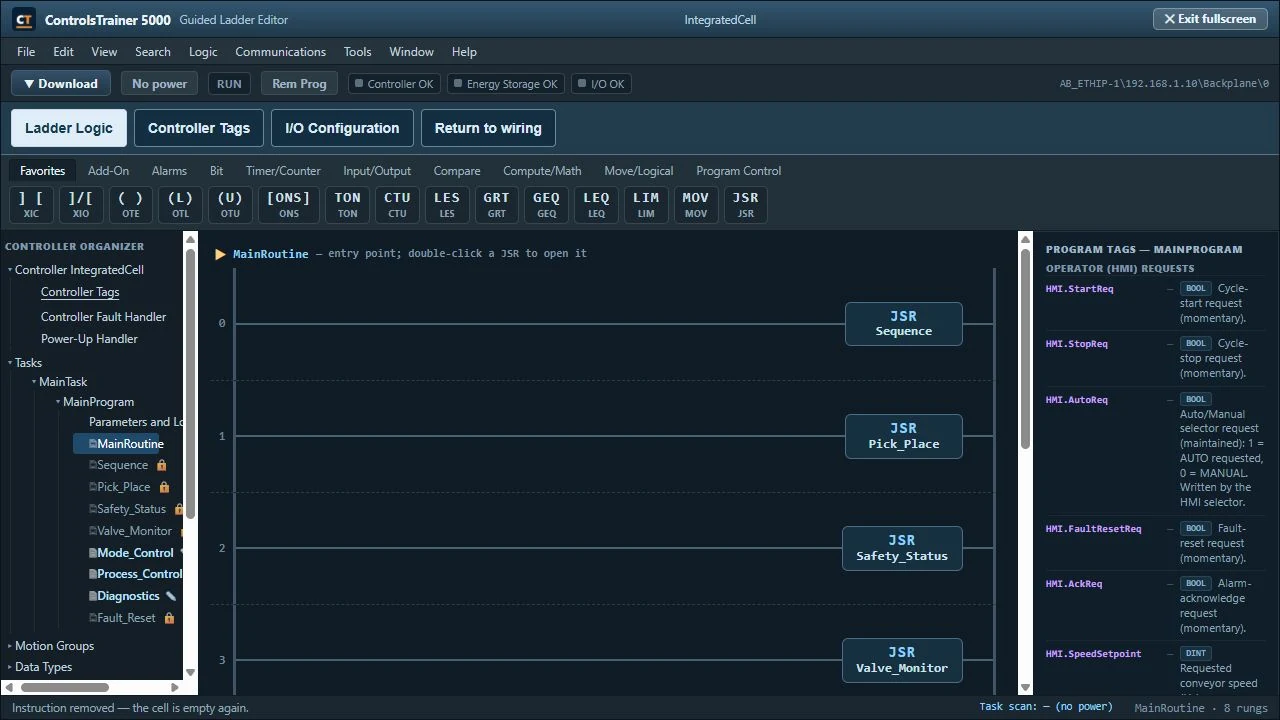
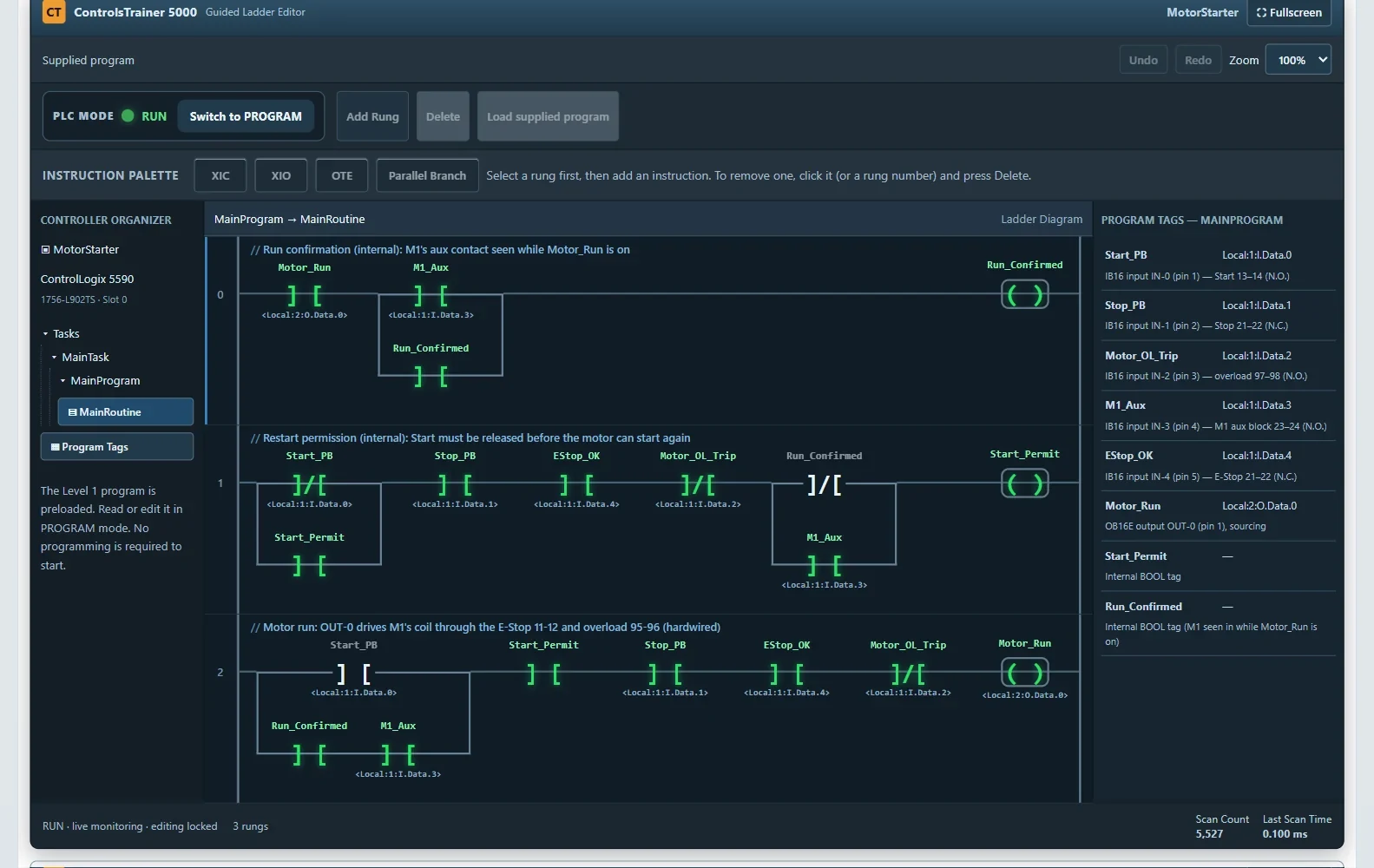
Use contacts, coils, and branches to build permissives and seal-in logic. Advanced projects add timers, comparisons, move instructions, and routine calls where the job requires them.
Connect field inputs, internal conditions, and output commands. Read tag names and I/O addresses alongside the ladder to understand what each instruction controls.
Check your work, restore the required energy sources deliberately, and test the machine. Follow the lesson’s operating and fault checks to prove the result.
Inside Level 10
The main routine calls the cell’s subroutines. Review the supplied sequence and pick-and-place logic, then complete the editable routines:
Mode_ControlStart, stop, and operating-mode requests.Process_ControlPump demand, fill permissives, and speed limits.DiagnosticsFault handling and first-out fault records.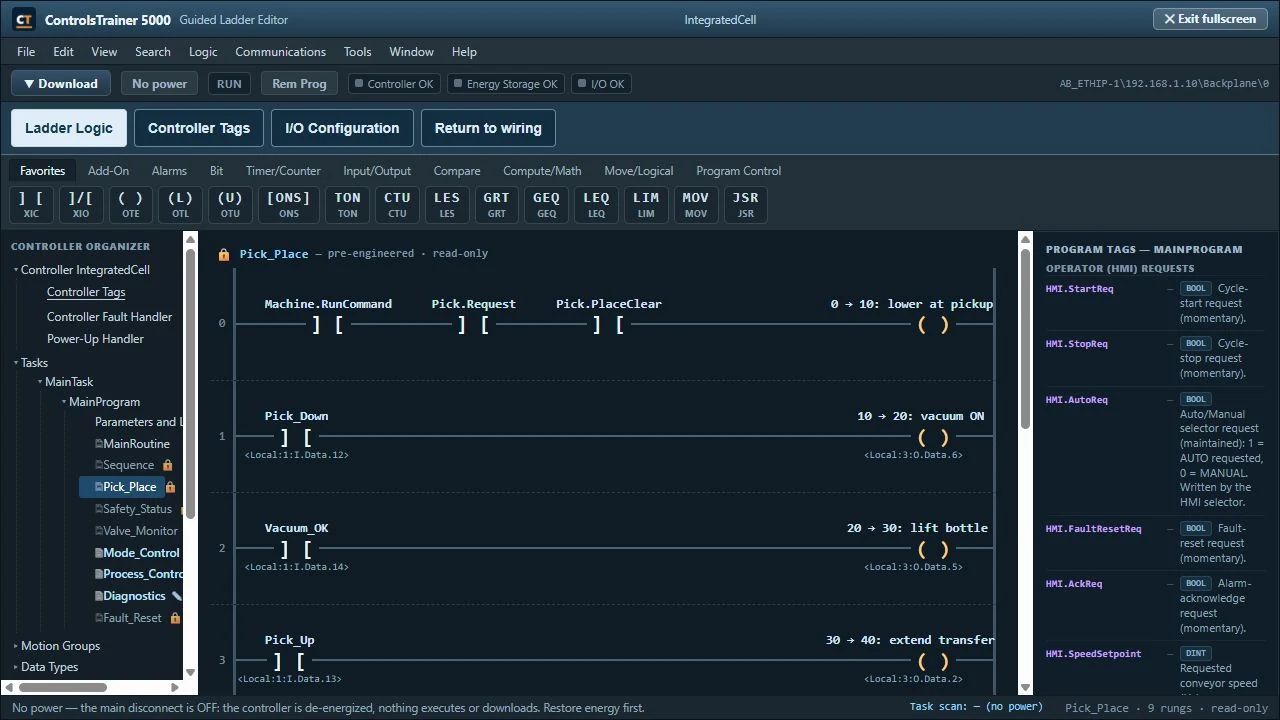
HMI development
HMI Studio lets you create the operator application. Place objects, connect PLC tags, configure their behavior, and test the relationship between a screen action and the control program.
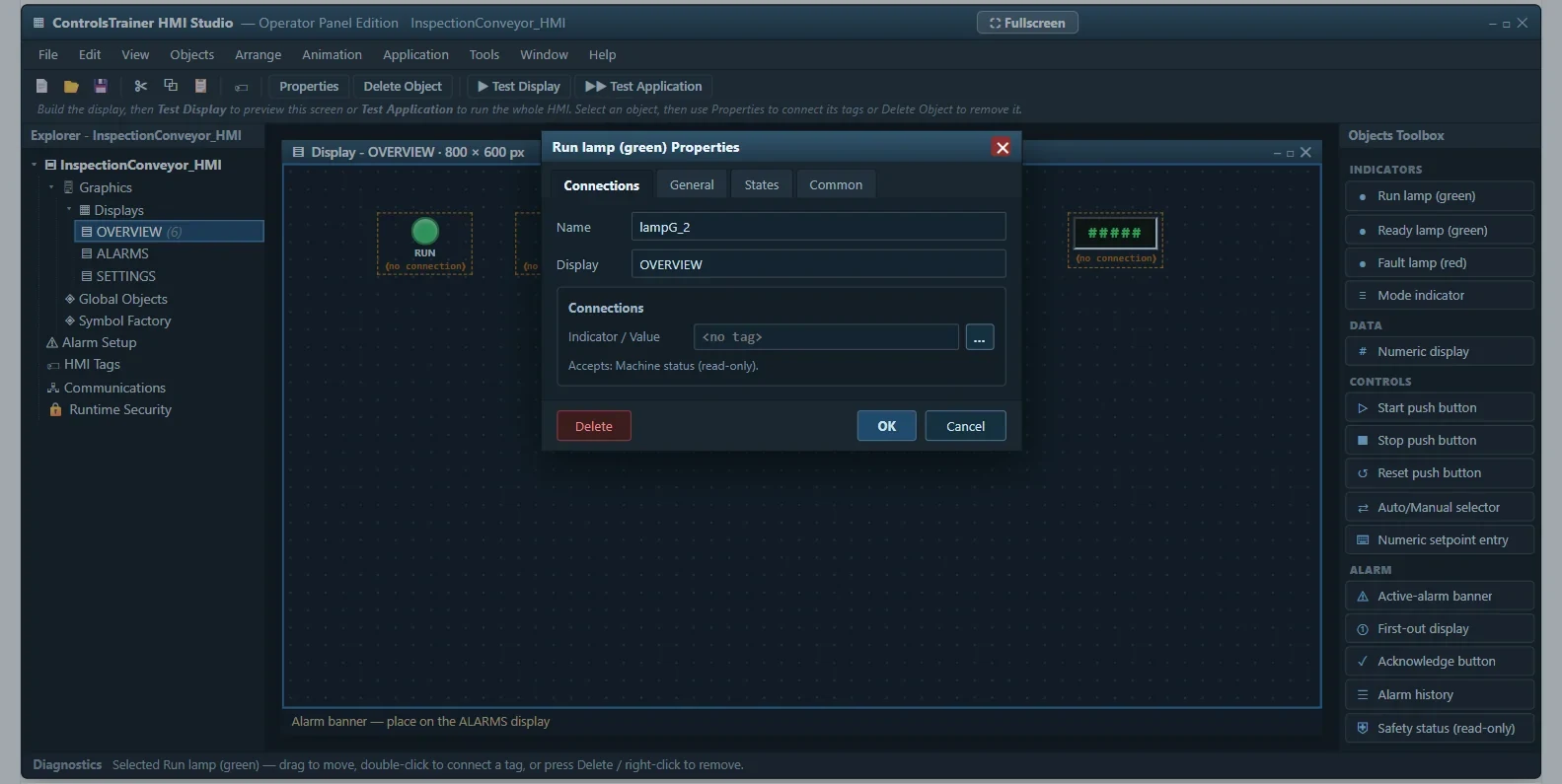
Build the canvas with buttons, indicators, and numeric displays. Configure the objects the operator needs to see and use.
Link the interface to the PLC’s requests and status values. Coordinate the HMI with the program’s handshake and alarm behavior.
Level 10 expands the application across the production cell, including process control, drive status, and diagnostics.
Commissioning & process control
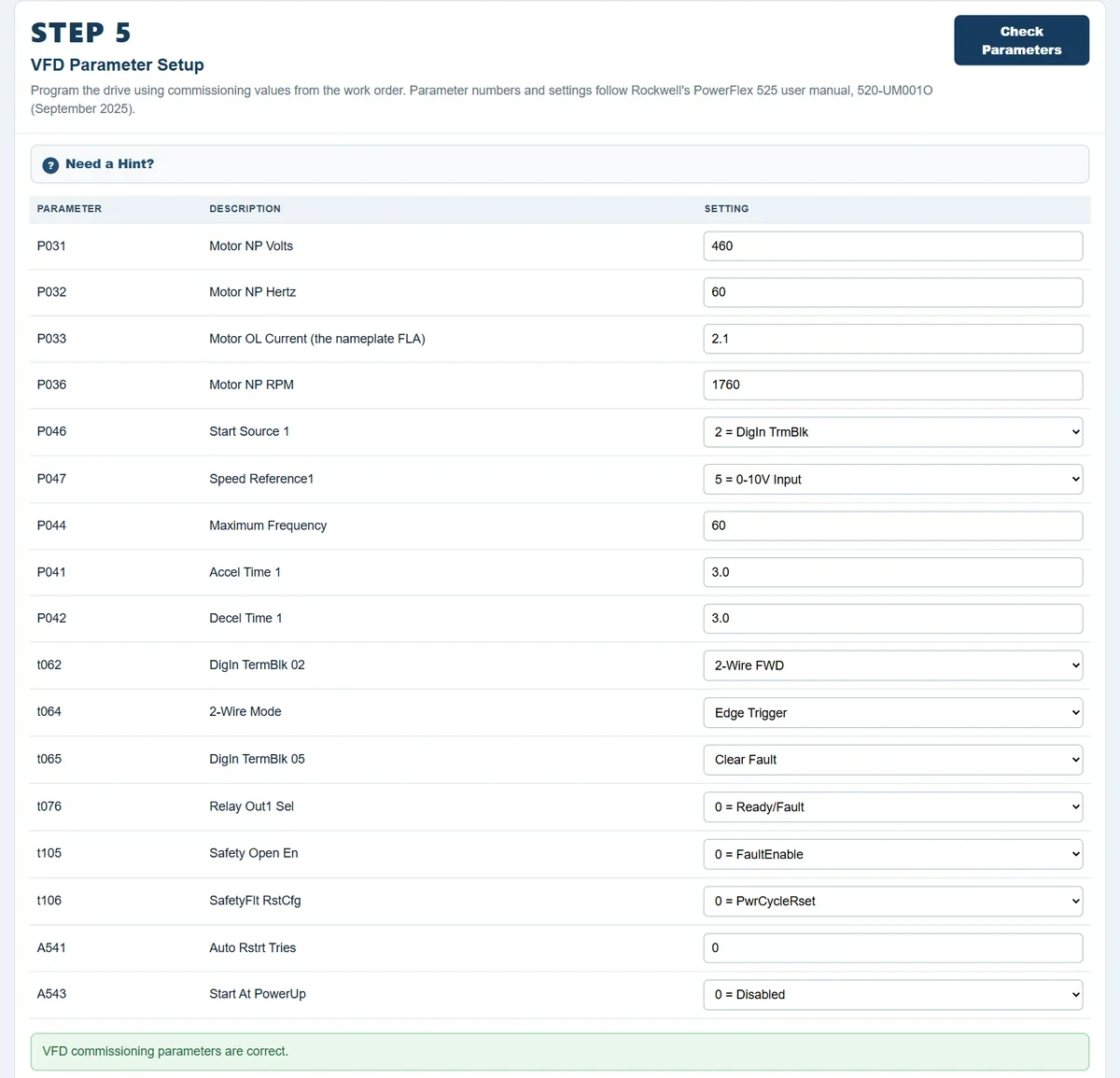
Learn how the drive settings, electrical connections, analog signals, and operator commands work together.
Work with the simulated PowerFlex 525: motor data, command sources, acceleration and deceleration, limits, and the 0–10 V speed reference.
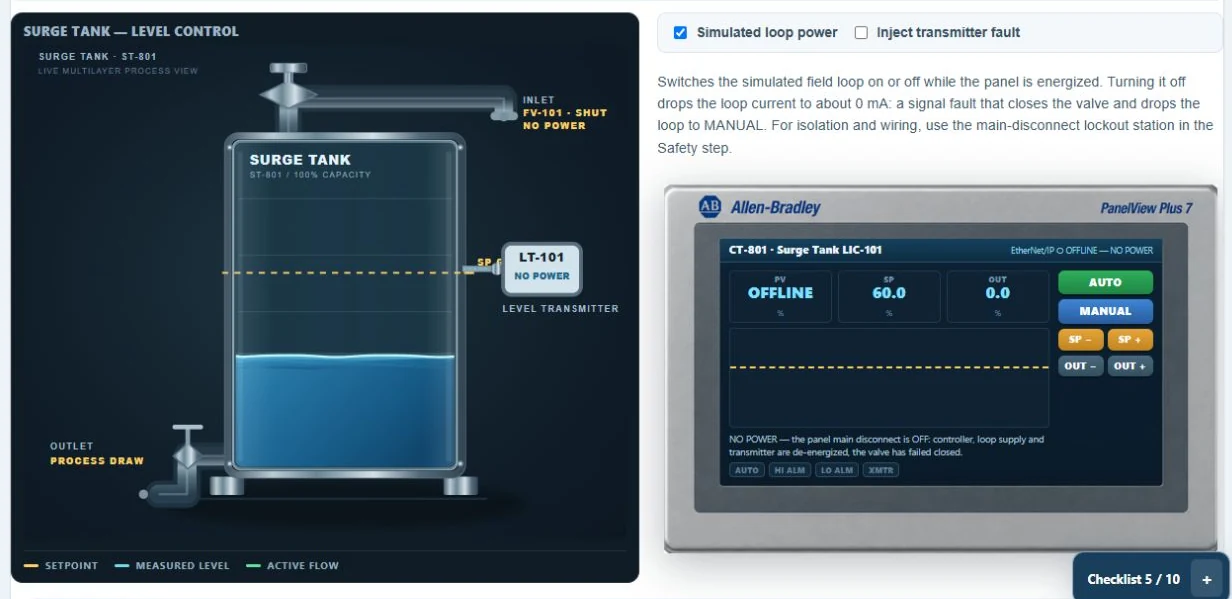
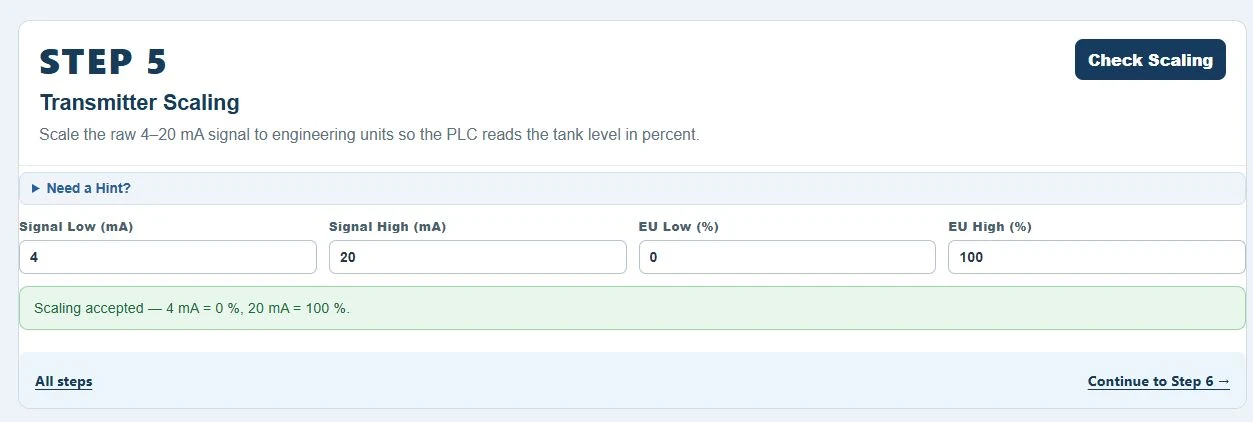
Scale a 4–20 mA level signal, configure the control action and alarm thresholds, and diagnose a faulted transmitter.
Your learning path
Start with two free foundation lessons. Continue with individual or company access to all ten. Each example below is captured from the actual lesson.
Wire it. Read it. Run it.
Start with the complete electrical job: isolation and verification, terminal-to-terminal control wiring, the supplied PLC program, and the pump response.
Follow the fault.
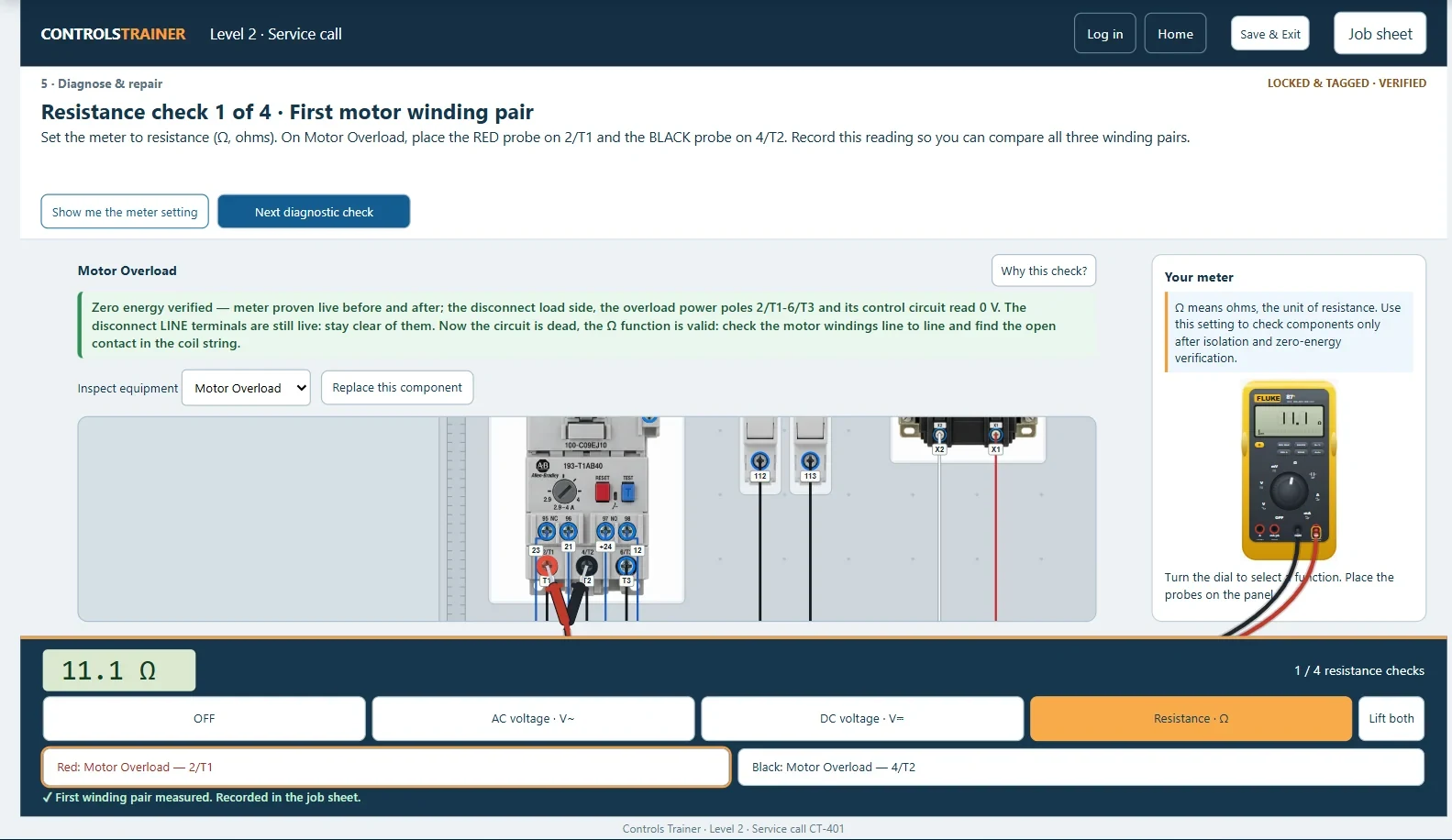
Diagnose a conveyor that will not start. Compare what the operator terminal reports with the PLC input and output states, then use the meter to investigate.
Your first program from requirements.
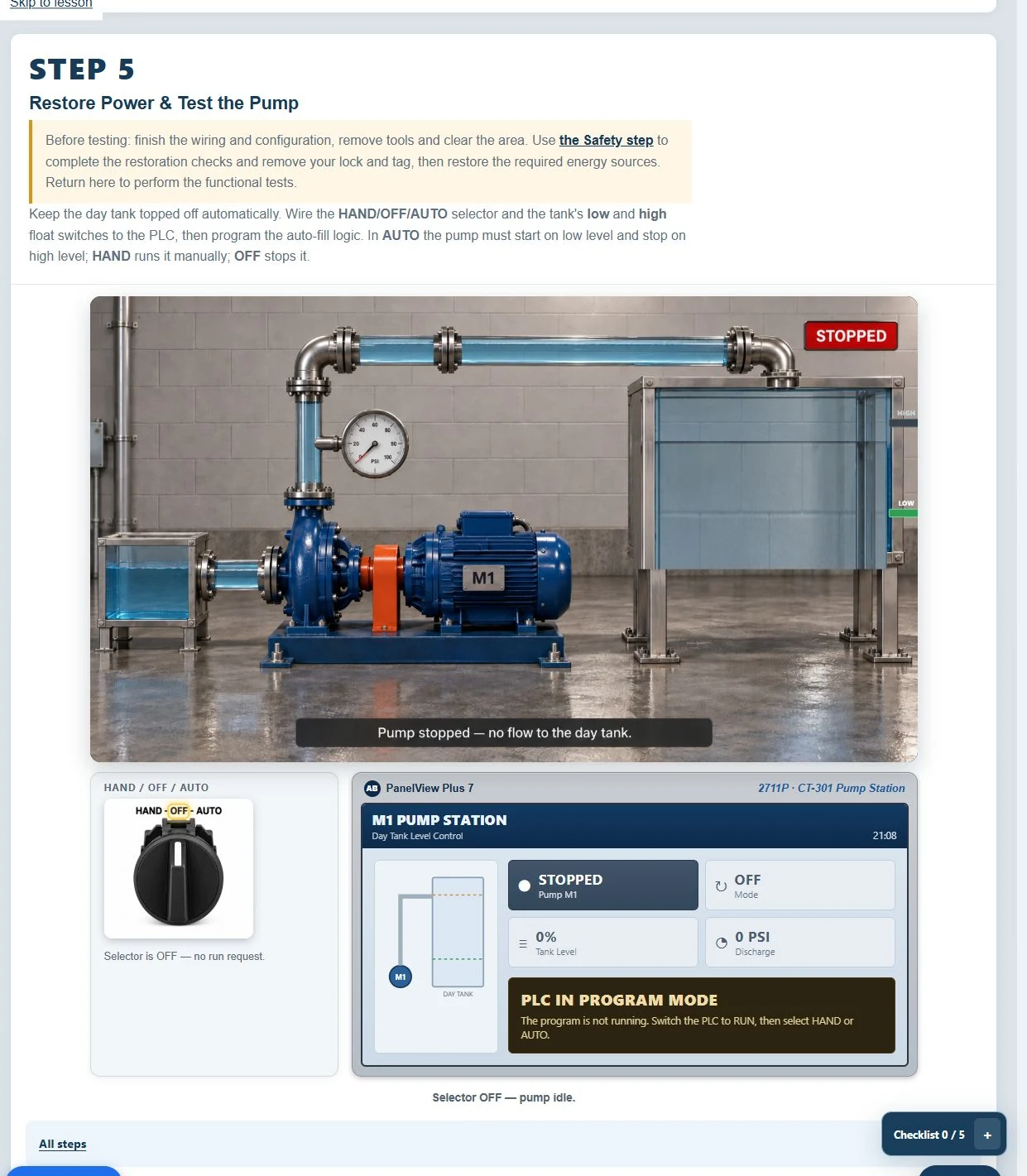
Build the automatic pump program using float switches, HAND/OFF/AUTO operating modes, and timed run feedback. Connect the program to the field wiring.
Make the drive match the motor.
Commission the simulated drive: wire its controls, enter motor and operating parameters, choose the command sources, and test speed control.
Coordinate motion and permissives.
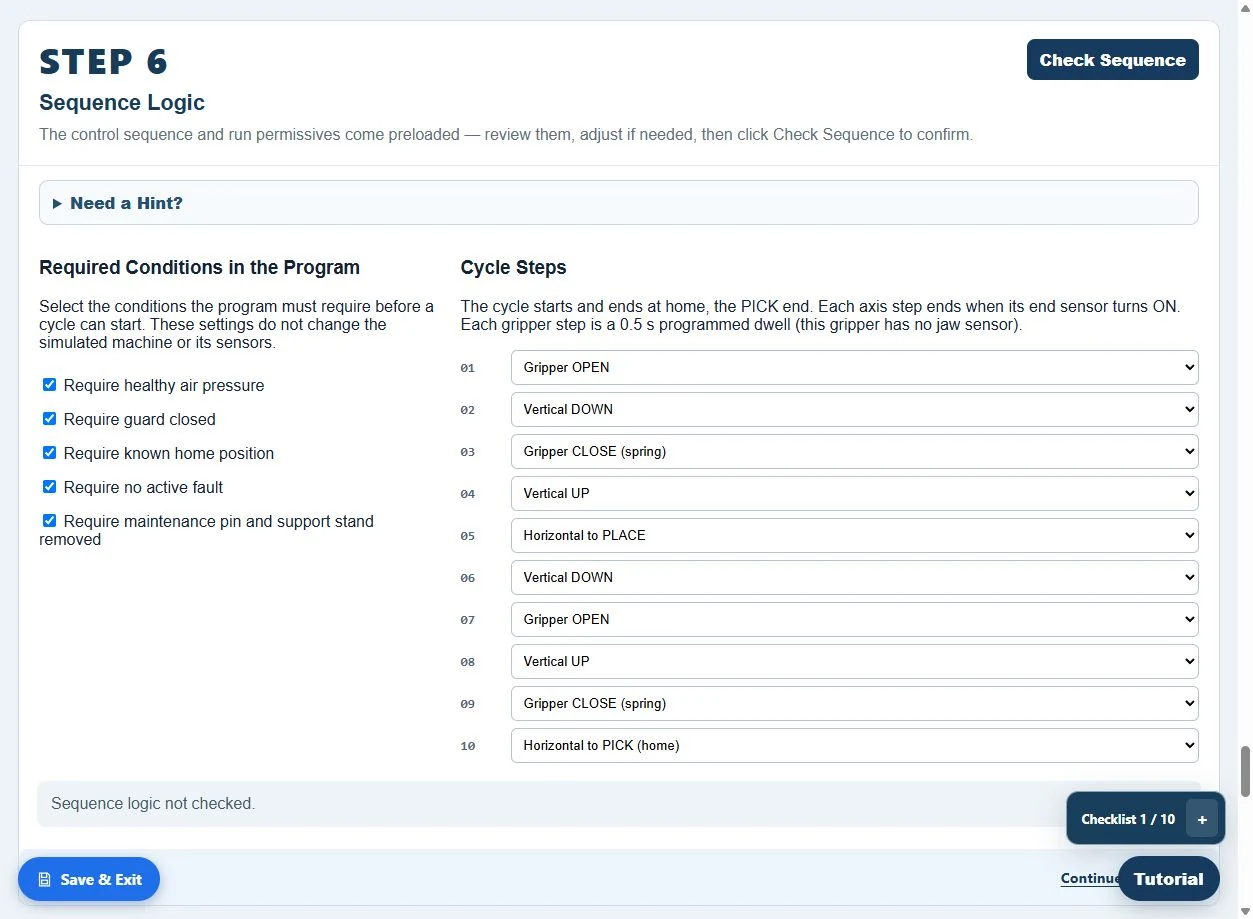
Select and connect the pneumatic hardware, then work through the machine’s sequence. Account for air isolation, trapped energy, load support, and motion permissives.
Engineer the reject logic.
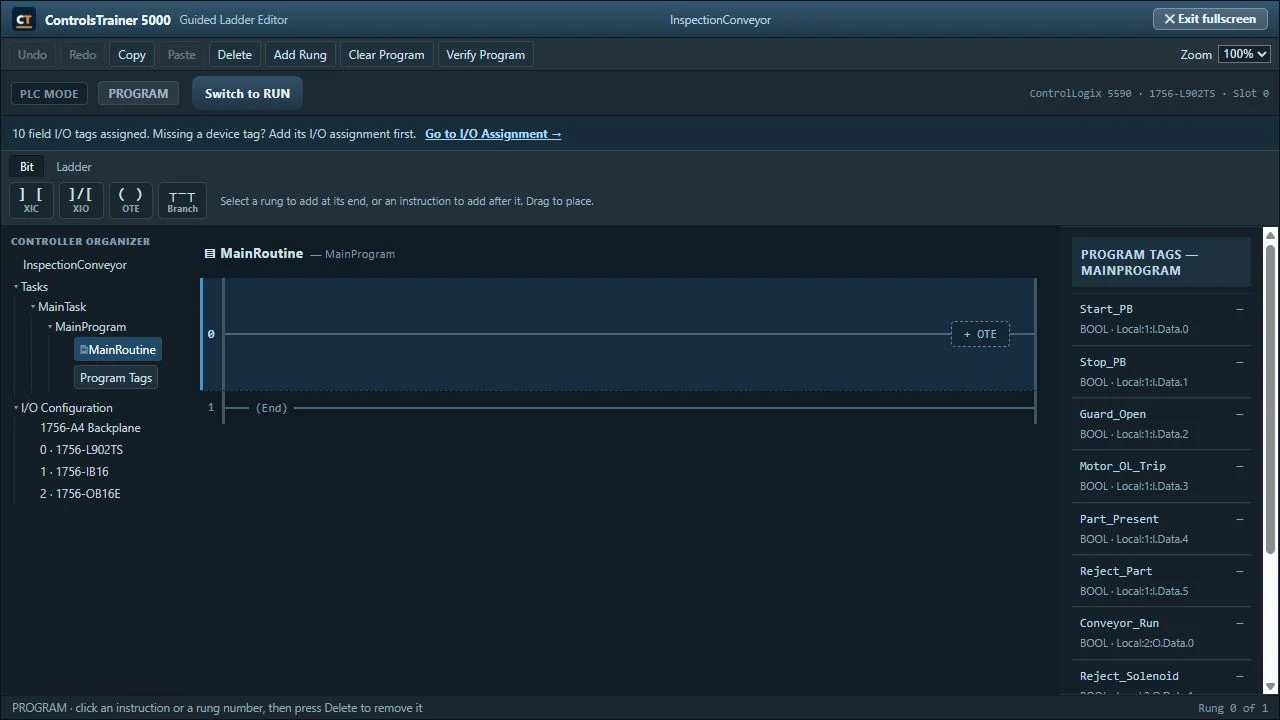
Work from the job requirements: select the equipment, assign the I/O, wire the conveyor, and create the PLC program for inspection and rejection.
Turn a work order into logic.
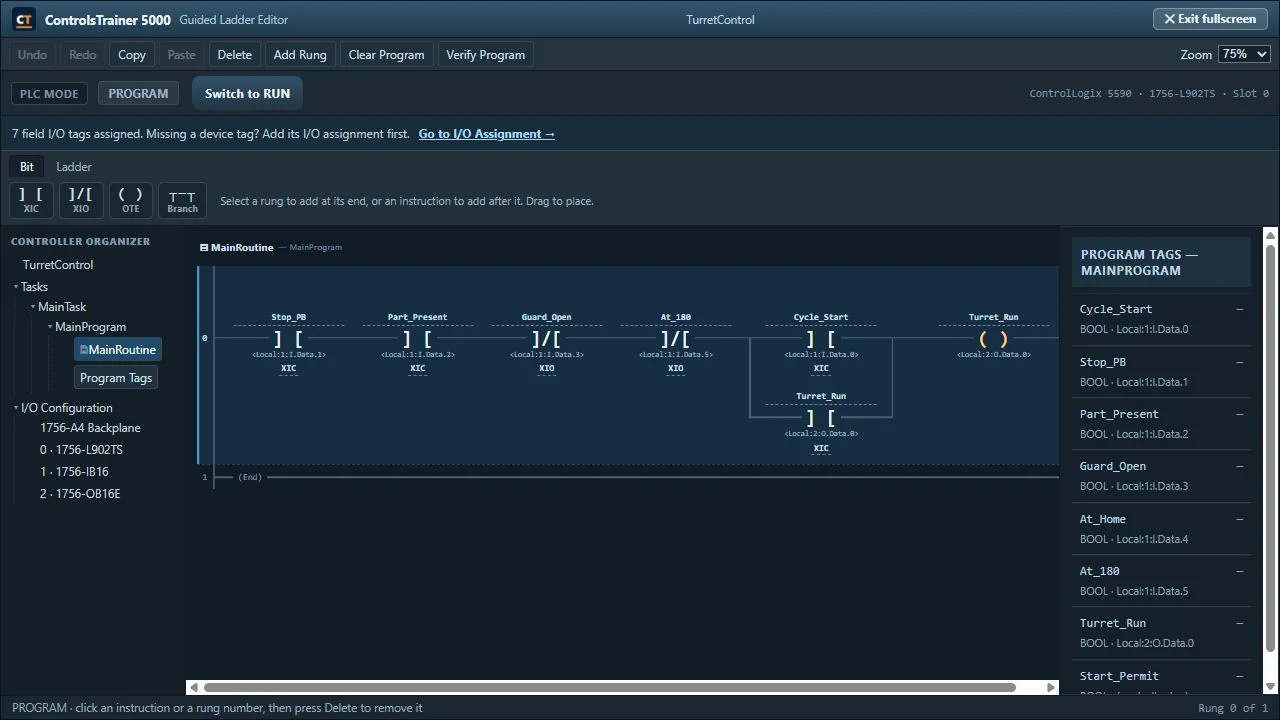
Select the turret hardware and implement the indexing logic. Use the part, position, and operating-condition inputs to control the move and its stopping point.
From milliamps to a process value.
Wire the 4–20 mA loops, scale the level transmitter, and configure proportional control and alarms. Review the supplied supervisory routines and diagnose a transmitter fault.
Build the operator’s view.
Create the operator application in HMI Studio. Place the screen objects, bind tags, configure alarms, and test the interface with the PLC handshake.
Bring the whole system together.
Work across the PLC program, process equipment, drive status, and operator interface. Review the supplied sequences, complete three editable routines, and build seven HMI displays.
A complete training job
These are structured machine lessons with requirements and completion checks. Some lessons supply the program for you to inspect; others ask you to write the logic or build the HMI application.
Controls Trainer connects programming to the wider job: equipment selection, I/O assignment, isolation, field wiring, commissioning, and machine testing.
Apply your employer’s procedures on real equipment. Simulated exercises and completion certificates supplement practical evaluation and authorization; they are not an OSHA certification or an electrical license.
The lessons model industrial components including Allen-Bradley ControlLogix-style controllers and I/O, PowerFlex drives, operator terminals, and pneumatic equipment. ControlsTrainer 5000 and HMI Studio are the site’s own training editors.
The platform is independent of the equipment manufacturers.
Before you start
Explore more about ladder logic, troubleshooting, and the training program.
Yes. Levels 3, 6, and 7 ask you to develop logic from the machine requirements. The advanced lessons add HMI integration and structured routines. In Level 10, you complete Mode_Control, Process_Control, and Diagnostics while reviewing the supplied sequencing routines. Other lessons use supplied logic to support reading, commissioning, or troubleshooting.
Levels 1 and 2 are free to try without an account. Individual and company plans include access to all 10 levels. See the current plans.
No. ControlsTrainer 5000 and HMI Studio are browser-based training editors for these simulated machines. They are not Studio 5000, FactoryTalk View, or tools for downloading a program to a physical controller.
No. The lessons deliberately cover different parts of the job: wiring and program reading, troubleshooting, writing logic, VFD commissioning, pneumatic sequencing, analog control, and HMI development. The level descriptions explain the focus of each.
The lessons provide progress saving and resume features. Sign in with a confirmed account to keep your completion records and obtain a certificate after meeting a level’s requirements. Certificates record completion; they do not replace professional certification or workplace authorization.
The original motor-starter walkthrough is still here. It shows Level 1’s wiring, supplied program, and pump test.
Start with the fundamentals. Keep going.
No account needed to try the free levels.
Independent training platform. Allen-Bradley, ControlLogix, PowerFlex, PanelView, Guardmaster, RSLogix, and Studio 5000 Logix Designer are trademarks of Rockwell Automation, Inc. Fluke and Festo are trademarks of their respective owners. Names identify the equipment modeled in the lessons. Controls Trainer is not affiliated with, sponsored by, or endorsed by these manufacturers.