THE WRITTEN GUIDE
Follow the steps.
Use the video with the instructions below. All equipment actions described here refer to the simulator.
Read the circuit before making a connection
Open Level 1 and read work order CT-101. Identify the Start and Stop buttons, emergency stop, contactor M1, overload relay, PLC input module and output module. This example uses a PLC to handle the normal start/stop logic. A conventional hardwired three-wire starter uses a different seal-in arrangement; do not interchange the two diagrams.
Isolate and verify the simulated panel
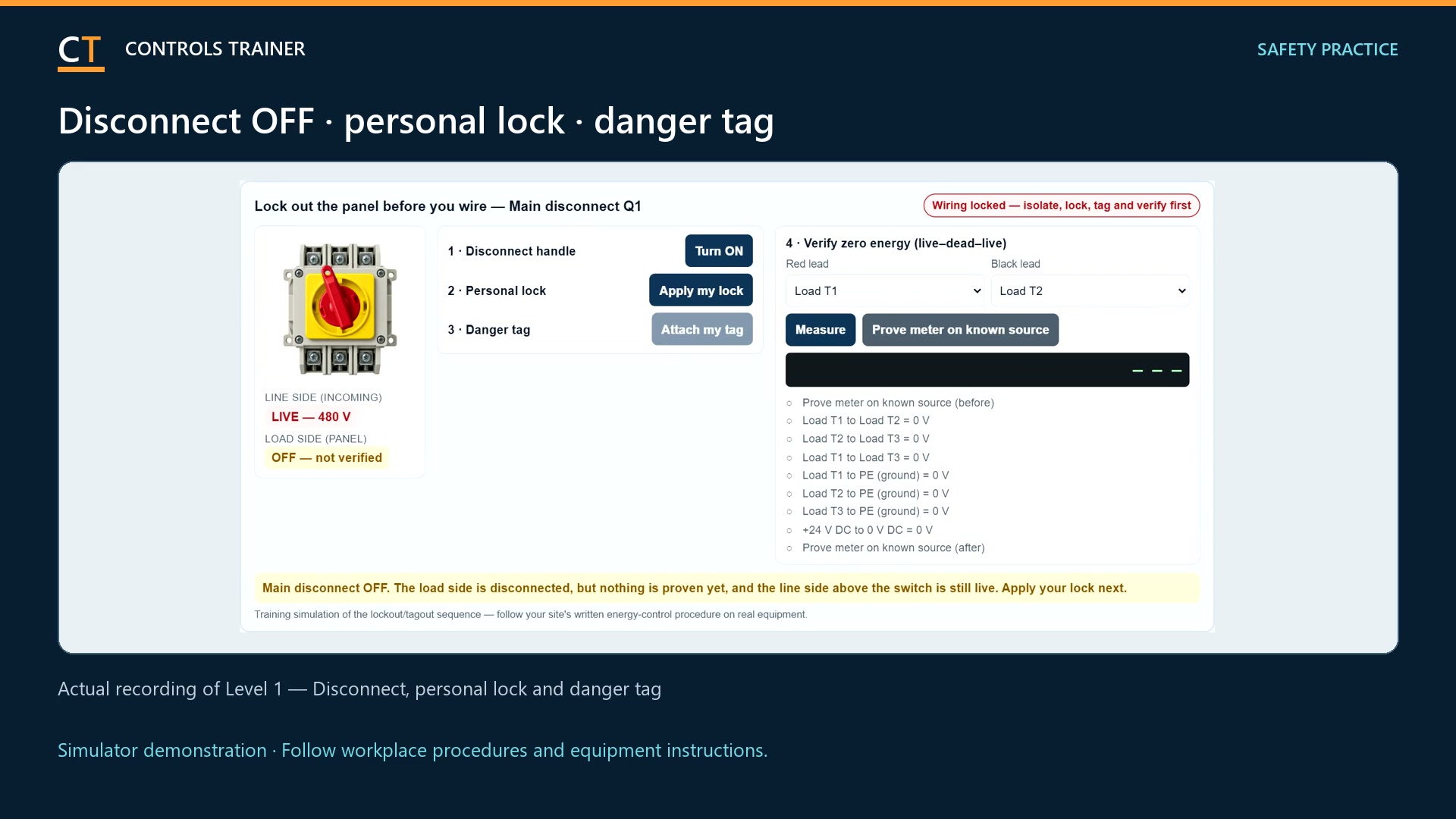
In Step 1, operate the main disconnect, apply the lesson lock and tag, and complete the required electrical checks. Prove the simulated tester, test the specified points, and prove it again. The lesson keeps wiring unavailable until its safety sequence is complete. These are simulator actions; use approved procedures and qualified personnel on real equipment.
Connect the buttons and feedback to the inputs
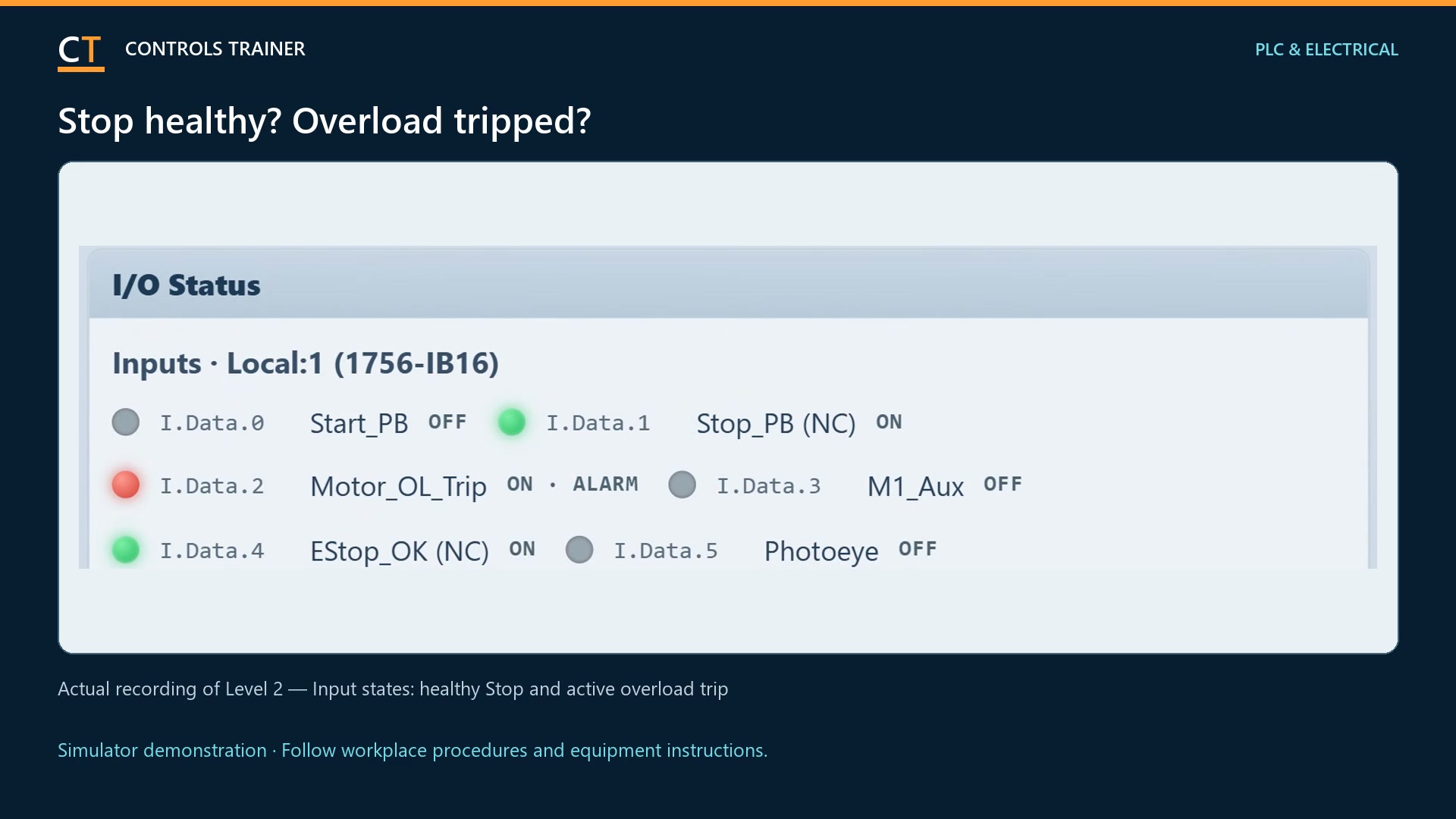
In Step 2, click a labeled terminal and then its destination. Start is a normally open device; Stop is normally closed. Follow the drawing to connect their signals to IN-0 and IN-1. The overload trip indication goes to IN-2, contactor feedback to IN-3, and the second E-stop contact to IN-4. Use the actual terminal labels, not the position of an illustration.
Trace the contactor coil circuit
The PLC Motor_Run output commands M1. The E-stop contact and overload 95–96 are also in the coil circuit so they can remove the coil supply independently of the normal PLC program. The overload trip indication and contactor auxiliary feedback are separate input signals. Complete all required connections and use the lesson wiring check.
Read the supplied ladder program
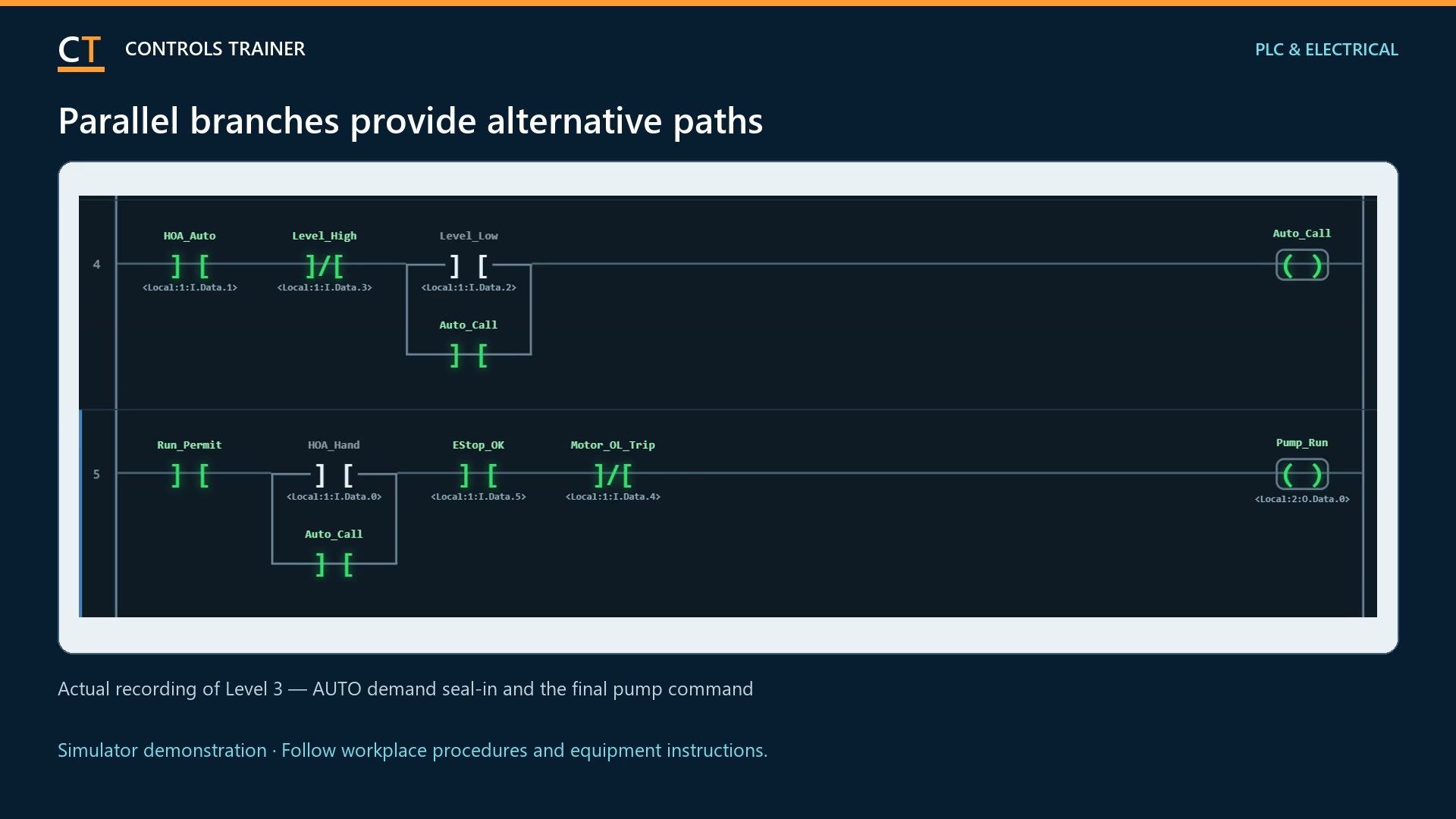
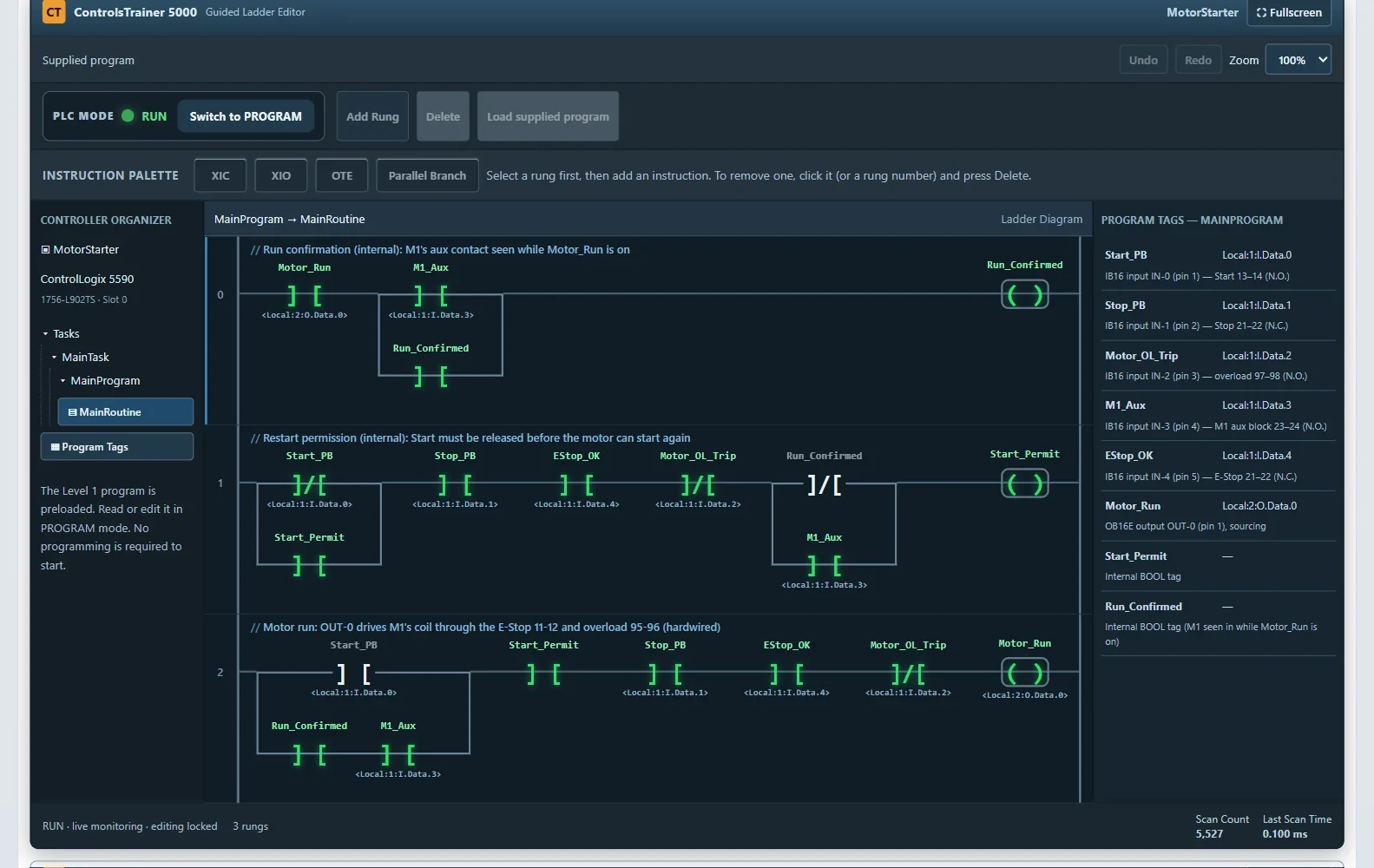
Open ControlsTrainer 5000. The supplied program checks the operating conditions, handles the run seal-in and uses contactor feedback. XIC and XIO test input bits; their names do not directly describe whether the physical pushbutton is normally open or normally closed. Follow the highlighted rung while you operate the controls.
Restore and test the response
Follow the lesson restoration sequence, put the controller in RUN, and test Start and Stop. Observe the input indicators, Motor_Run output, M1 feedback and pump. Also use the specified E-stop and overload tests. A successful Start is only part of the job: the required stop and restart behavior must work too.
A FEW USEFUL DISTINCTIONS
Common questions.
Is this a hardwired three-wire starter diagram?
The main exercise is a PLC-controlled starter. The written guide identifies that architecture because the buttons feed PLC inputs and the program provides normal control logic. Use the lesson drawing for the circuit shown.
Can I practice motor starter wiring free?
Yes. Level 1 is free to try without an account. Create and confirm an account if you want account-based completion records.
Does a normally closed Stop button mean I should use XIO?
No. With the Stop released, its closed contact normally makes its input bit 1. XIC can test that healthy condition. Always connect the physical state, input bit and instruction meaning.
Read the full video transcript
How do you wire a motor starter with Start and Stop buttons? Here is the PLC-controlled example in Controls Trainer Level One.
First, identify the buttons, contactor, overload, and input and output modules. This circuit uses PLC logic for normal starting and stopping. It is different from a conventional hardwired starter.
Before wiring, complete the simulated isolation sequence. Open the disconnect, apply the lock and tag, and verify the required electrical points with the tester proved before and after.
Now connect the field devices. Start goes to input zero. Stop goes to input one. The overload trip, contactor feedback, and second emergency-stop contact provide additional input signals. Click each labeled terminal and its destination, following the lesson drawing.
Trace the output to the contactor coil. The emergency-stop contact and overload contact also interrupt that coil circuit in hardware. Feedback tells the PLC whether the contactor actually pulled in.
Complete the wiring check, then open the supplied ladder program. Watch the input bits, the run conditions, and the contactor feedback. The program maintains the run command after Start is released.
Restore the simulated panel as directed. Select RUN, press Start, and test Stop, the emergency stop, and overload response. Watch both the electrical indications and the pump.
Practice this complete simulated job in Level One, free at Controls Trainer dot com. Real equipment requires your employer’s procedures and qualified personnel.
Controls Trainer is an independent educational platform. These examples supplement equipment-specific instruction and practical evaluation. Completion is not OSHA certification, an electrical license, or authorization to work on equipment.