THE WRITTEN GUIDE
Follow the steps.
Use the video with the instructions below. All equipment actions described here refer to the simulator.
Start with a requirement
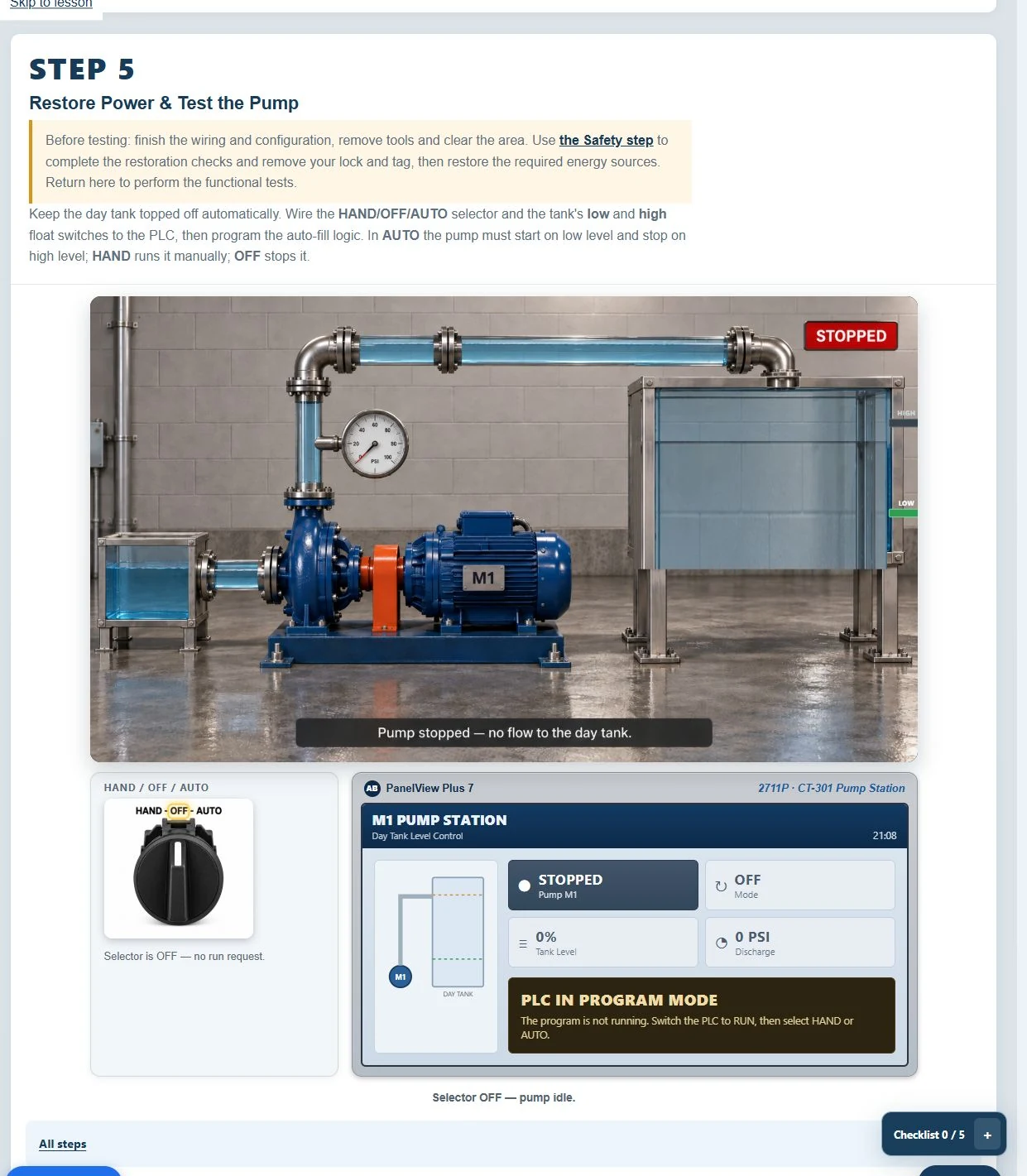
In Level 3, read the automatic-pump work order. Identify the HAND/OFF/AUTO selector, float inputs, contactor feedback and motor command. Write down when the pump should run, when it should stop and what must happen after a fault. The program should implement these requirements, not merely look like a familiar rung.
Understand what contacts test
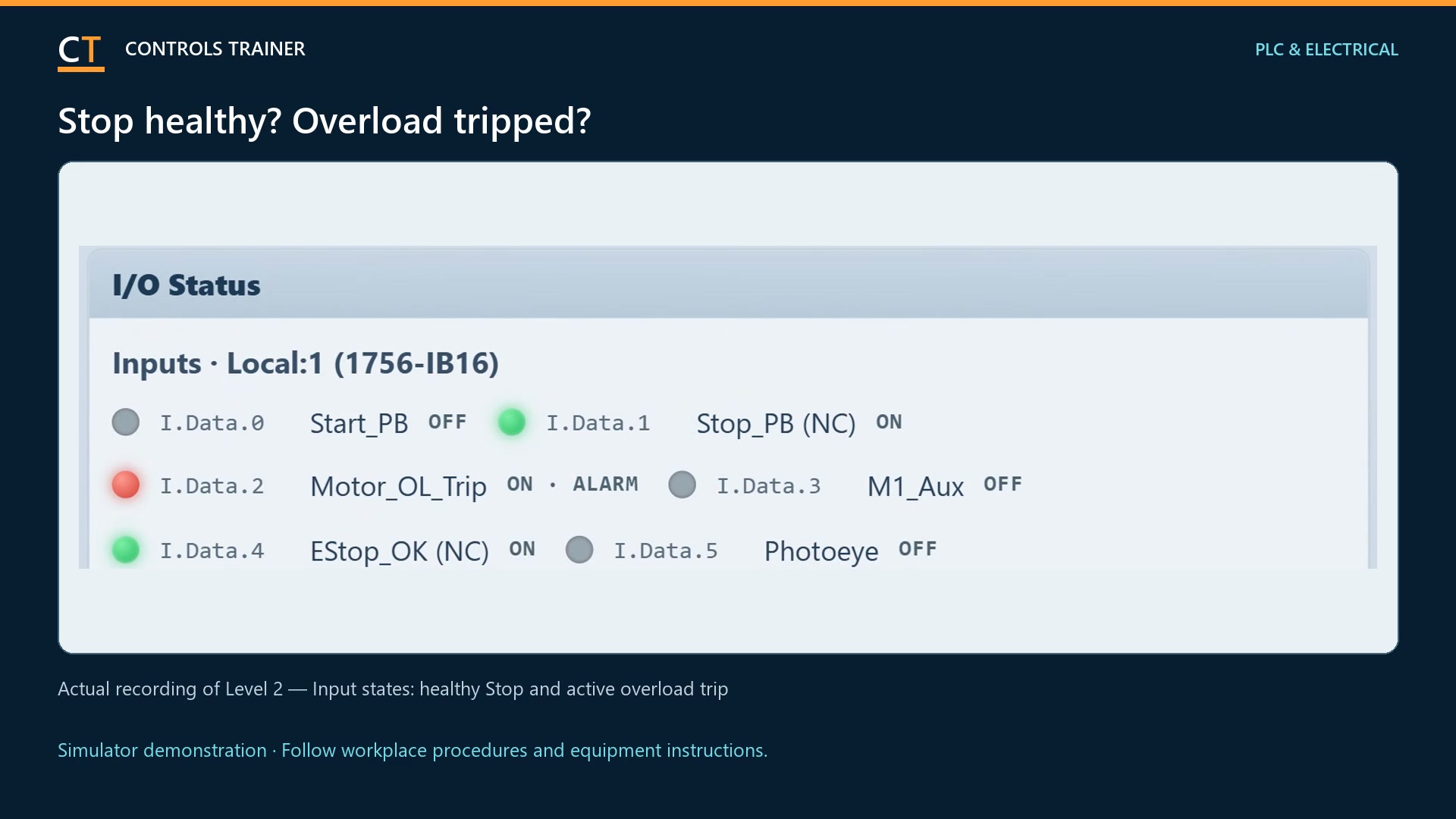
XIC is true when its addressed bit is 1. XIO is true when that bit is 0. These instructions examine a value; they are not drawings of the physical contacts. A normally closed field device can require an XIC instruction to test its normal healthy input state.
Build series conditions and parallel paths
Series conditions must all be true for that path to conduct logically. Parallel branches offer alternative paths. A seal-in branch can maintain demand after the initiating condition changes, but it still needs the intended stop conditions and permissions. Trace one input change at a time.
Give the output a clear job
An OTE instruction writes its addressed bit from the rung result. Distinguish the motor demand or command from actual contactor feedback. In this lesson, the feedback confirms the device response; a command alone is not evidence that the motor starter operated.
Use the TON for a defined condition
Level 3 uses a timer as part of the contactor pickup check. Watch the timer enable, accumulated value and done state in the editor. Match the preset and reset behavior to the lesson requirement. A timer is not automatically a safety function, and a software delay is not an energy-isolation method.
Run the program against the work order
Use PROGRAM mode to edit, check the program, then follow the lesson sequence to test in RUN. Exercise HAND, OFF and AUTO, the float transitions, feedback and required recovery behavior. If one test fails, trace the relevant inputs and rung rather than rewriting the whole program.
A FEW USEFUL DISTINCTIONS
Common questions.
Are XIC and XIO the same as normally open and normally closed switches?
No. XIC and XIO test bits. Normally open and normally closed describe physical contacts in their normal state.
Can I write the program myself?
Yes. Level 3 asks you to build pump logic from the requirements. Level 1 supplies a beginner program you can inspect first.
Is this Studio 5000?
ControlsTrainer 5000 is the site’s own training editor. It teaches relevant ladder concepts but is not the vendor application and does not connect to a real PLC.
Read the full video transcript
Ladder logic connects input conditions to output commands. Here are the basics in the Controls Trainer pump lesson.
Begin with the work order. The pump has HAND, OFF, and AUTO modes, float inputs, and contactor feedback. The program must meet those operating requirements.
An XIC instruction is true when its bit is one. XIO is true when its bit is zero. These are tests of a value, not descriptions of the physical switch. A normally closed Stop button can use an XIC to check its healthy input.
Place conditions in series when all must be true. Use parallel branches for alternative paths. A seal-in maintains demand after the initiating signal changes, while the required stop conditions still control the rung.
The output coil writes the command bit. Keep command and feedback separate. Telling a contactor to operate does not prove that it operated.
Now inspect the TON timer. Watch its enable, accumulated value, and done state. In Level Three, the pickup check connects timing to the required contactor response. Match the preset to the work order.
Edit in PROGRAM mode, then test in RUN. Exercise each operating mode and the float changes. Trace the highlighted conditions when the result is wrong.
Start with the supplied program in free Level One, then build your own pump logic in Level Three.
Controls Trainer is an independent educational platform. These examples supplement equipment-specific instruction and practical evaluation. Completion is not OSHA certification, an electrical license, or authorization to work on equipment.